
How to Copy and Paste TikTok Usernames and Profile Links!
1. Copying a TikTok Username on Mobile
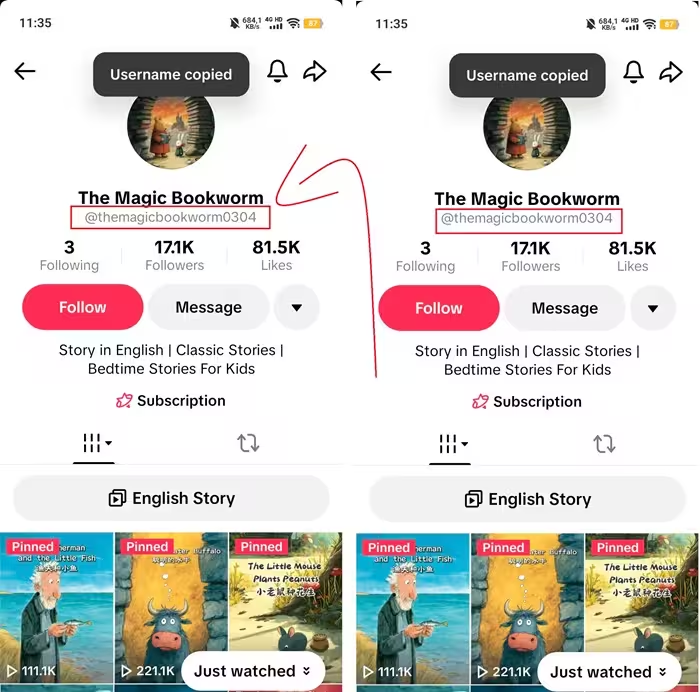
Step 1: Open the TikTok app and go to the profile you want.Step 2: Tap on the username (for example: @ttviewer888) at the top of the page.Step 3: Alternatively, press and hold the username, then select "Copy."Step 4: The username will automatically be copied to your clipboard.
2. Copying a TikTok Username on Computer
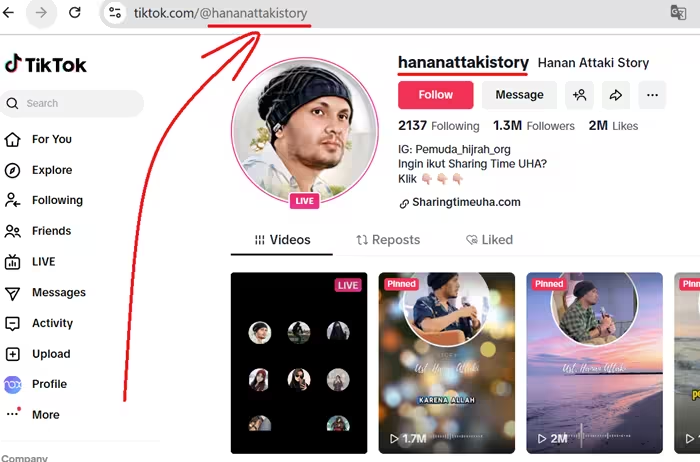
Step 1: Go to tiktok.com and log in if needed.Step 2: Find and open the account's profile (enter the username in the search bar or click on a link).Step 3: On the profile page, the username appears at the top (for example: @ttviewer888).Step 4: Right-click on the username and select "Copy" (or highlight the username and press Ctrl + C). Done!
3. Copying a TikTok Profile Link on Mobile
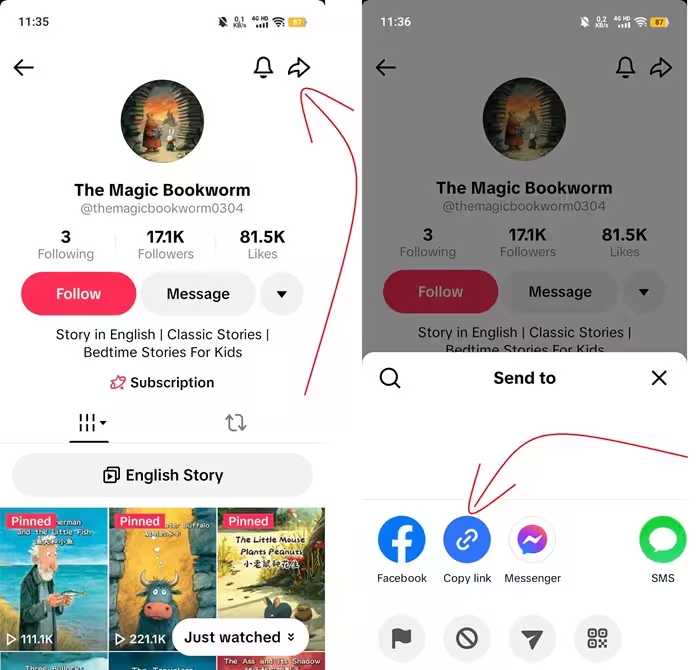
Step 1: Open the TikTok app on your Android or iOS (iPhone) device.Step 2: Go to the account's profile (tap the "Me" icon in the bottom right corner for your own profile, or search for someone else's).Step 3: Tap the share icon (usually a curved arrow or three dots) in the top right corner.Step 4: Select "Copy link."Step 5: The profile link is now copied and ready to share via messages or social media.
4. Copying a TikTok Profile Link on Computer
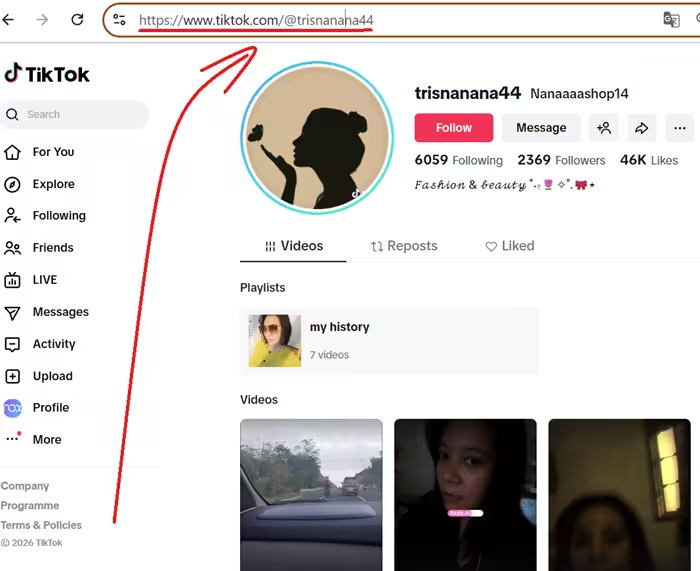
Step 1: Visit tiktok.com and open the profile you want.Step 2: Look at the browser's address bar (for example: https://www.tiktok.com/@ttviewer888).Step 3: Highlight the entire URL, right-click and select "Copy" (or press Ctrl + C).Step 4: The profile link is now copied!
5. Pasting Username/Profile Link on TTViewer
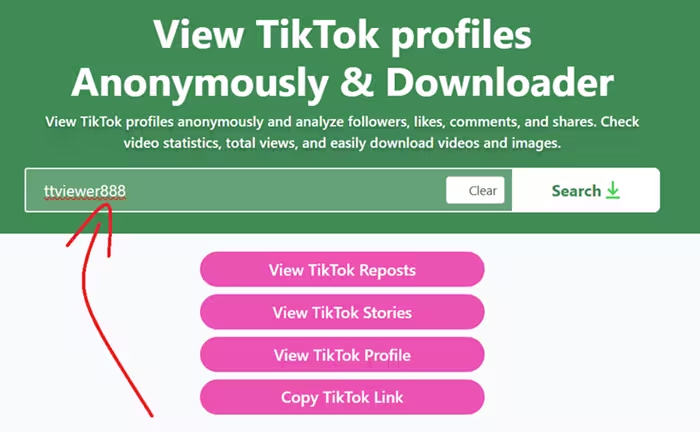
Once you've successfully copied a TikTok username, you can paste it on TTViewer to view profiles, stories, and reposts anonymously:Step 1: Go to TTViewer.net to view TikTok profiles, or choose from the Repost or Story viewing features below.Step 2: Click the "Paste" button and select "Allow" to paste the username, or tap on the empty field and press and hold on the screen, then select "Paste."Step 3: That's it! Now you can press Enter or click the "Search" button to start viewing content.