View TikTok Reposts anonymously
View any Repost without leaving a trace. Easily check views, comments, shares, likes, and saves for all Reposts.
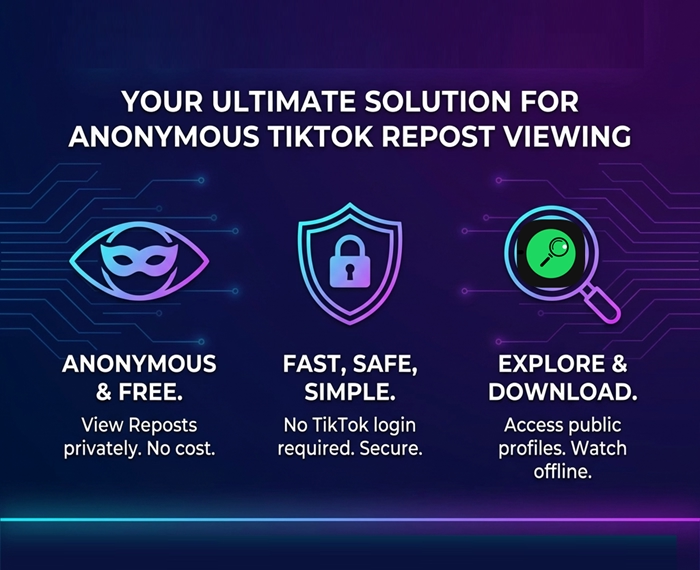
Curious about someone’s TikTok Repost videos but want to stay anonymous and avoid trouble? TTViewer gives you the perfect solution. This tool lets you view TikTok Reposts anonymously for free in a fast, safe, and simple way. You do not need to log in to a TikTok account. You can explore reposted content from any public profile, download Repost videos to watch offline, and keep your privacy fully protected. Let's dive into this guide to discover why TTViewer stands out, how you use it, and smart tips to get the best results!
How to Use an Anonymous TikTok Repost Viewer?
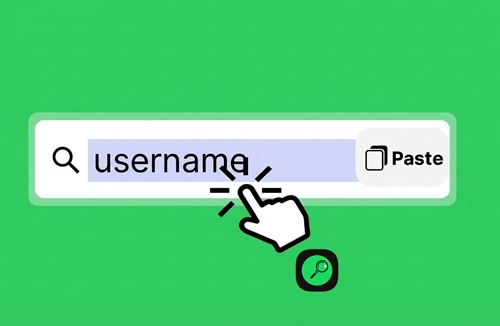
Step 1: Visit the TTViewer website
Open a web browser and enter https://ttviewer.net/tiktok-repost in the address bar.
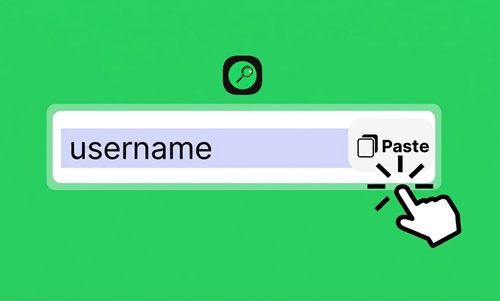
Step 2: Enter a TikTok username or link
Type the username of the account you want to check into the search box, for example, @ttviewer888, or paste a TikTok profile link.

Step 3: Start viewing Reposts anonymously
Click the search button to see all available Reposts from that account. You can watch them online anonymously or download videos to view offline.
Reasons to Use an Online TikTok Repost Viewer!
1. 100% free and easy to use
2. Safe and secure
3. Protect your privacy completely
4. Analyze competitor content
5. No limit on the number of accounts
6. Support across multiple platforms
Helpful tips for viewing TikTok reposts online!
1. You can enter the username in different formats, such as @ttviewer888, ttviewer888, or https://www.tiktok.com/@ttviewer888/.
2. Use your browser’s incognito or private mode for extra anonymity.
3. Turn on a VPN to change your IP address and hide your location.
4. Click on a video, select the three-dot icon in the lower right corner, then choose playback speed to adjust how fast the Repost plays.
5. You should save a list of usernames to check Reposts more easily and quickly next time.
6. Click the Download button to save MP4 videos to your phone or computer for offline viewing or sharing.
7. You may see an error message if you enter the wrong username, if the account stays locked or private, or if the account has no Reposts yet.
7 Advanced Features of a TikTok Repost Viewer!
1. View Reposts Anonymously with Ease
The tool protects your privacy while you watch reposted videos. You do not need to log in or share personal details. You can explore content freely without alerting the original poster or the reposter. This feature is especially helpful when you track competitors or quietly follow trends.
2. Download High-Quality Repost Videos Without Logos/ Watermark
Now, you can save Repost videos in high-quality MP4 format without any logo or watermark. You can use these videos for personal use, editing, or sharing on other platforms without TikTok branding getting in the way.
3. Support Multiple Languages
The tool uses a global-friendly interface with support for more than 20 popular languages, including English, French, Japanese, Italian, Spanish, Portuguese, and Vietnamese… The system detects the device language automatically or allows manual selection. Auto-translated captions and descriptions also help users understand content clearly across languages.
4. Stream Videos in Full HD Quality
You can watch reposted TikTok videos in up to 1080p Full HD resolution. The tool keeps the original image and video clarity. Smart streaming optimization ensures smooth playback even with unstable internet connections, reducing buffering and lag.
5. Adjust Playback Speed and Use Picture-in-Picture
All Repost videos feature adjustable playback speeds from 0.25x to 2x, which allows you to watch slowly to grasp details or fast-forward to save time. In addition, Picture-in-Picture (PiP) mode lets you watch videos while working with other apps. This enables more efficient multitasking on your mobile devices or tablet.
6. Watch TikTok Reposts for Free With No Limits
TTViewer enables unlimited viewing and downloading of reposted videos and images at no cost. The platform does not require premium accounts or paid plans. An ad-free environment ensures uninterrupted viewing and a smooth user experience.
7. View likes, comments, shares, views, downloads, and more
You can easily view all information about Repost's video and image posts, including: likes, comments, shares, views, downloads, saved Collection, descriptions, hashtags, and more.
Frequently Asked Questions for TT Repost viewer!
Is using a TikTok Repost viewer safe?
Yes, it is completely safe. The tool only accesses public data from TikTok. It does not ask for passwords or personal details. The system does not store sensitive information and follows strict security standards to protect user privacy.
Can I view Reposts from a private TikTok account?
No, the tool only works with public accounts. If an account stays private, you must follow that account on TikTok first to see its content.
Is there a limit on how many Reposts you can view?
No limits apply. TTViewer lets you use the feature without restrictions, so you can view thousands of Reposts each day with ease.
Does the tool save my viewing history?
No, it does not store search or viewing history on the server. The system processes all actions temporarily and removes them as soon as you close the browser, which ensures full privacy.
Why can't I see Reposts from a specific account?
This usually happens because the account has not posted any Reposts, the profile stays private, or the account is locked. Check the username again and try later.
Do I need to log in to a TikTok account to use the tool?
No login is required. You only enter the account username you want to view, and you can start right away. Skipping login saves time and keeps the process simple.
Is using a Repost Viewer legal?
Yes, it is legal. The tool only accesses public data that TikTok allows to display. It does not break platform rules or invade anyone’s privacy.
Can I view deleted Repost videos?
No. If a user removes a Repost or deletes the original video from TikTok, the content no longer exists on the platform, so the tool cannot show it.
Do I need to install software or a browser extension?
No. This is a web-based tool. You just need to open the website and use it directly in your browser without installation.
Can I view Reposts from an account that blocked me on TikTok?
Yes, as long as the account stays public. The tool does not require a login, so a TikTok block does not affect access through the tool.
Can I view Reposts from multiple accounts at the same time?
Yes. You can open multiple browser tabs to view Reposts from different accounts with ease.
What should I do if the anonymous TikTok viewer shows an error?
You can reload the browser, check the internet connection, or try again after 15 minutes. For quick support, contact [email protected].