View TikTok Following anonymously
View TikTok profiles and browse following lists anonymously. Check follower counts, following, and engagement without leaving a trace.

Want to see who someone is following on TikTok — quickly, easily, and without logging in? TTViewer is a super handy tool for that! Just enter a username or profile link, and you can browse their following list right in your browser, no account needed.
How to Use the Anonymous TikTok Following Viewer!

Step 1 — Open the Website TTViewer
On your phone or computer, go to: https://ttviewer.net/tiktok-following
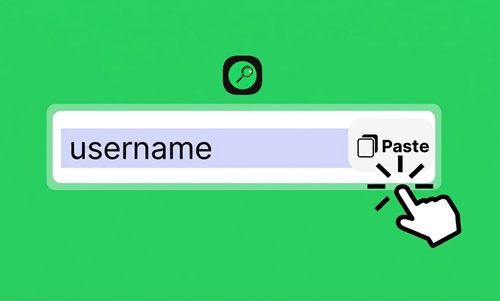
Step 2 — Enter the Username or Profile Link
In the search box, type in the TikTok username or profile link of the account you want to check. For example: Username: @ttviewer888 or ttviewer888. Profile link: https://www.tiktok.com/@ttviewer888

Step 3 — Hit Search and Start Browsing
Click the "Search" button and wait a few seconds. The full list of accounts that person is following will appear for you to browse anonymously!
Why People Love This Following Viewer!
1. Completely free with no limits
2. Clean, minimal interface that loads fast
3. Great for finding content inspiration
4. Useful for competitor research
5. Real-time results
6. No annoying ads
7. Works directly in any browser — no app needed
4 Handy Tips for Using It Safely!
1. You can enter either a username (like @ttviewer888) or a full profile URL — both work just fine.
2. Getting an error message? Don't panic! It could mean the username was typed incorrectly, the account has been deleted or suspended, or the account owner has hidden their following list or switched to private mode.
3. Scroll to the bottom of the page and click "Load More" to see additional accounts in the following list.
4. Want to save someone's profile photo from the list? Easy — just press and hold their avatar and select "Save Image"!
5 Key Features of the TikTok Following Viewer!
1. See the Most Up-to-Date Following List
The following list updates in real time, so you're always looking at the most accurate, current information — no outdated data, no guesswork.
2. View Detailed Account Info at a Glance
Quickly check profile pictures, usernames, like counts, and total videos posted for any followed account. TTViewer's clean, user-friendly interface makes browsing and searching a breeze.
3. Unlimited Lookups — Completely Free
Check as many accounts as you want, whenever you want. TTViewer has no lookup limits and no fees — ever.
4. 100% Anonymous Viewing
Browse anyone's following list without them ever knowing. TTViewer also uses SSL and WAF security technologies to keep your activity safe and private.
5. Works on Windows, macOS, Android & iOS
No downloads or installs needed. As long as you have a browser and an internet connection (4G, 5G, Wi-Fi — anything works), you're good to go on any device.
Frequently Asked Questions for Following viewer!
What are the limitations of this tool?
Right now, it only shows the following list. It doesn't support viewing unfollows, seeing who unfollowed you, or finding out who blocked you.
Is it safe to use this anonymous Following viewer?
Absolutely. You don't need to log in to TikTok, and the site doesn't collect any personal information from you.
Does TTViewer save my search history?
No. TTViewer respects your privacy — searches are never stored or logged.
Can I see who someone followed most recently?
Yes! The list is displayed in the order TikTok arranges it, with the most recent follows shown first.
Can I view the following list of a private account?
Unfortunately, no. Private accounts keep their following list hidden, so it won't be accessible.
Why is the tool showing an error or not loading data?
This can happen if the username was entered incorrectly, the account has been banned or deleted, TikTok is temporarily restricting access, or the account has hidden its following list. Try again after a few minutes and it should work.
How accurate are the results?
Very accurate! The data is pulled directly from TikTok's public information.
Is there a limit on how many times I can search?
No limits at all — search as much as you like.
Does this tool work well across different browsers?
Yes, it works great on all major browsers — Chrome, Safari, Edge, Firefox, and more — on both mobile and desktop.