View TikTok Stories anonymously
Watch TikTok stories undetected. It's effective, offers unlimited usage, and is 100% free.
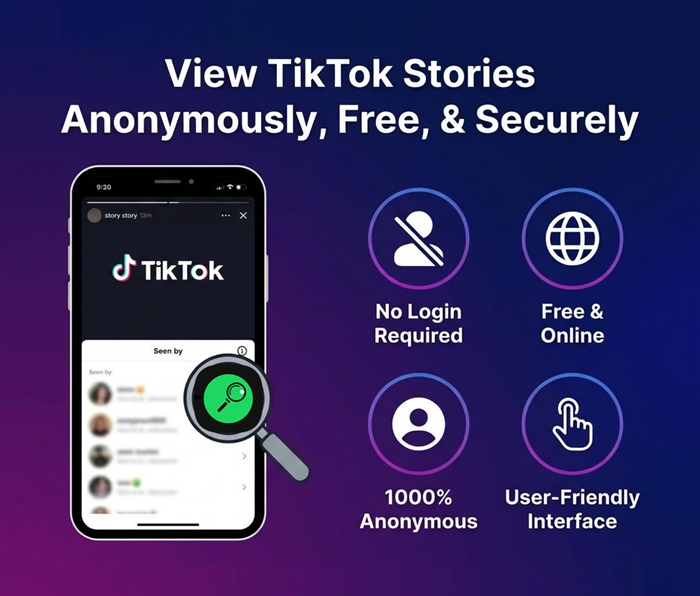
Are you scrolling through TikTok and curious to check your ex’s, crush’s, or even a competitor’s Story, but worried your name might appear in their view list? As you know, TikTok shows who views Stories, which is sometimes inconvenient. Don't worry! TTViewer solves this problem with a TikTok Story Viewer that lets you view TikTok Story online for free, anonymously, without logging in, and completely securely. With a simple, user-friendly interface, TTViewer offers a smooth, anonymous viewing experience. Let's explore all the features of this powerful tool!
How to Use an Anonymous TikTok Stories Viewer?

Step 1: Visit the TTViewer.net website
Open a web browser and type https://ttviewer.net/tiktok-story into the address bar to access the tool.
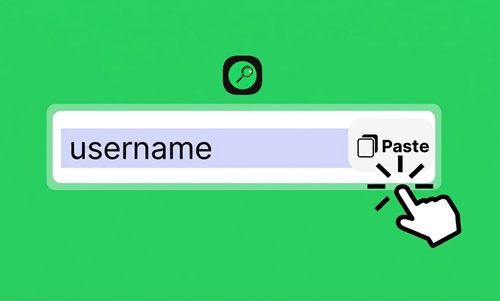
Step 2: Enter a TikTok username or link
Type the username of the account you want to check into the search box, such as @ttviewer888.

Step 3: Start viewing the Story
Click the search button, and the system will display Stories you can click on to view anonymously or download to watch offline.
Why Should You Use an Online TikTok Story Viewer?
1. 100% secure and anonymous
2. No account login required
3. Easy viewing and downloading of Story photos and videos
4. Fast updates
5. Completely free to use
6. Simple interface with no annoying ads
Tips to Use TT Story Viewer More Effectively!
1. You can enter a username in different formats, such as @ttviewer888, ttviewer888, or a full profile link like https://www.tiktok.com/@ttviewer888/.
2. You should keep a simple list of accounts you check often to reduce search time.
3. Download important Stories right away since TikTok Stories disappear after 24 hours.
4. You can bookmark TTViewer.net in your browser for quick access anytime without retyping the address.
5. Click the Download button to save videos to your phone or computer for offline viewing or sharing.
6. If an error message appears, you may have entered the wrong username, or the account may be private, locked, or have no active Story within the last 24 hours.
6 Helpful Features of the TikTok Story Viewer!
1. Watch Any Story Anonymously with Ease
With this TikTok Story Viewer, you can watch Stories from any public account without leaving any trace. The Story owner never sees your name in the viewer list, which gives you full freedom to explore content without concern. You do not need a TikTok account, since you only enter a username and start watching instantly.
2. Free to Use With No Limits
The tool stays completely free and places no daily limits on how many Stories you can view. You can explore Stories from many different accounts without thinking about payments or upgrades. The ad-free experience helps you focus on the content you enjoy.
3. Watch Stories in High Quality (Full HD)
All Stories appear in the highest quality available, so images and videos stay sharp and clear. You avoid quality loss that often appears with other tools, which keeps the viewing experience close to the official TikTok app. Every color and detail looks natural and vivid, which is ideal for enjoying your favorite creative content.
4. Download Story Photos and Videos Without Logos or Watermarks
You can download any Story photo or video to your device with one click. Every downloaded file comes without logos or watermarks, which supports clean personal use or professional storage. The tool supports common file formats, making sharing or editing simple later.
5. Control Playback Speed and Use Picture-in-Picture
You can adjust Story playback speed to save time or slow down to catch important details , depending on your needs and preferences. Picture-in-Picture (PiP) mode lets you watch Stories while doing other tasks on your device, which improves multitasking. Plus, flexible controls give you a viewing experience that fits your needs.
6. Support Multiple Languages
The interface supports up to 15 languages, including English, French, Japanese, Korean, Vietnamese, Indonesian, Italian, and Spanish. You can switch languages in just a few clicks for a smoother experience. This wide language support makes the tool easy to use for people around the world.
Frequently Asked Questions for TT Story Viewer!
Is it safe to view TikTok Stories using TTViewer?
Yes. You do not need to log in to any TikTok account, which reduces privacy risks. The platform uses strong SSL and WAF security technologies to protect your data and keep your browsing secure.
Can I view Stories from private TikTok accounts?
No, you can only view Stories from public TikTok accounts. Private account Stories stay visible only to approved followers, and the tool cannot bypass these privacy limits.
Does this tool expose my IP address?
No, TTViewer keeps your IP address hidden during use. You can browse and watch Stories without worrying about IP exposure.
Do I need to install any software?
No, you do not need to install anything. TTViewer works directly in your web browser, so you only visit the website and enter the TikTok username you want to watch their Story.
Can I view deleted TikTok Stories?
No! The tool only shows Stories that remain public on TikTok. If a Story expires after 24 hours or the owner deletes it, you cannot view it again.
Is this free TikTok Story Viewer legal?
Yes, this free TikTok Story Viewer is completely legal! You only view public Stories through TTViewer, and this action follows TikTok’s terms of use without breaking any rules.
Is there a daily limit on how many Stories I can view?
No. TTViewer lets you use the feature freely every day, and you never need to pay for access.
Which operating systems support this tool?
TTViewer runs directly in a web browser, so you can use it on any operating system, such as Windows, macOS, Linux, Android, and iOS. You only need an internet connection and a web browser.
What should I do if I see an error?
Try the quick checks below:1. Refresh the page by pressing F5 or clear your browser cache2. Check your internet connection3. Make sure the TikTok username you entered is correct4. Try using a different web browser5. Contact TTViewer support at [email protected] for assistance