View TikTok Followers anonymously
View TikTok profiles and browse follower lists anonymously. Check follower counts, following, and engagement without leaving a trace.

Want to check a TikTok account's followers quickly, without logging in, and without giving up your privacy? TTViewer is a super handy tool for that! Whether you're doing research, checking out trends, or keeping tabs on a competitor, it's easy to get started. Here's how:
3 Simple Steps to View TikTok Followers Anonymously!
Step 1 – Visit the TTViewer Website
Open any browser on your phone or computer and head over to: https://ttviewer.net/tiktok-follower
Step 2 – Enter a Username or Profile Link
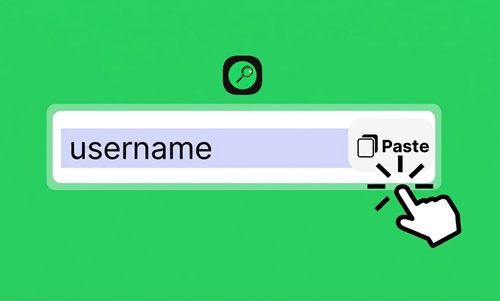
Type the TikTok username or profile link into the search box. You can use any of these formats: @ttviewer888, ttviewer888, or the full link https://www.tiktok.com/@ttviewer888 — all work just fine!

Step 3 – Hit "Search" and Start Browsing
Click the "Search" button and wait just a few seconds. The system will automatically load and display the full follower list for that account. Easy!
7 Great Reasons to Use Tiktok Followers viewer!
1. No login required — just search and go
2. Check a profile's credibility before trusting it
3. Research competitors and their audiences
4. Completely free to use
5. Clean, intuitive interface that's easy to navigate
6. Always up-to-date follower counts
7. Fast search results delivered in seconds
4 Handy Tips for Getting the Best Results!
1. Flexible search formats — you can type the username with or without the @ symbol, or paste the full profile URL. All formats are accepted.
2. Getting an error message? Don't panic! It usually means you may have typed the username incorrectly, the account has been suspended or deleted, or the account owner has turned on privacy settings that hide their follower list. Just double-check the username and try again.
3. Want to see more followers? Click the "Load More" button to keep scrolling through the full list.
4. Save someone's avatar — just press and hold on any profile picture in the follower list, then choose "Save Image" to download it to your device.
6 Cool Features of the TikTok Follower Viewer!
1. Browse Followers Anonymously
Your identity stays completely hidden throughout the entire process. The account owner won't receive any notification that you've looked up their information — so you can browse with total peace of mind.
2. View Detailed Profile Information
For every follower on the list, you can see their full profile details — including their avatar, username, total likes, number of uploaded videos, and more useful stats.
3. See the Most Recent Followers
Want to track how an account is growing over time? This feature lets you see the newest followers of any account, making it easy to stay on top of their latest growth.
4. Unlimited Usage
Look up as many accounts as you want! TTViewer places no daily limits or restrictions on how many times you can use the tool.
5. 100% Free
No payments, no upgrades, no subscriptions. Every feature is completely free for all users — no strings attached.
6. Works on Any Device
Whether you're on an Android phone, iPhone, Windows PC, or Mac, TTViewer runs smoothly across all devices and browsers.
Frequently Asked Questions for TT Follower viewer!
Can I view the followers of a private account?
Unfortunately, no. TTViewer only works with public accounts and doesn't support private profiles.
Can it show me who recently unfollowed me?
Not at the moment. TTViewer is focused on displaying current follower and following lists, so the unfollow tracking feature isn't available yet.
Is it safe to use this anonymous follower viewer?
Absolutely! You don't need to log in to your TikTok account at all, and the tool doesn't ask for any personal information from you.
Will my TikTok account get banned for using this?
No. Since you're only viewing from the outside in anonymous mode, TikTok has no way of detecting or flagging your account.
Can I see which country a follower is from?
Not yet — country filtering isn't supported at this time. The tool currently displays account lists along with basic profile information only.
How can I tell real followers from fake (bot) accounts?
A good rule of thumb: real accounts usually have a profile photo, posted videos, and some engagement activity. Fake or bot accounts often have strange usernames, no videos, or a default avatar. That said, accurately identifying bots usually requires looking at a combination of factors.
Can I see the most recent followers first?
Yes! The list is displayed in reverse chronological order, so you can easily spot the newest followers right away.
Will the account owner know I viewed their followers?
Not at all. They won't receive any notification whatsoever when you browse their follower list.
What should I do if the Follower Viewer shows an error or won't load?
Here are a few things to try: double-check that the username is spelled correctly, clear your browser cache or switch to incognito/private mode, and wait about 30 seconds before trying again. Keep in mind that some TikTok accounts have data restrictions that can make it difficult for the tool to retrieve information.